1
Weigh in
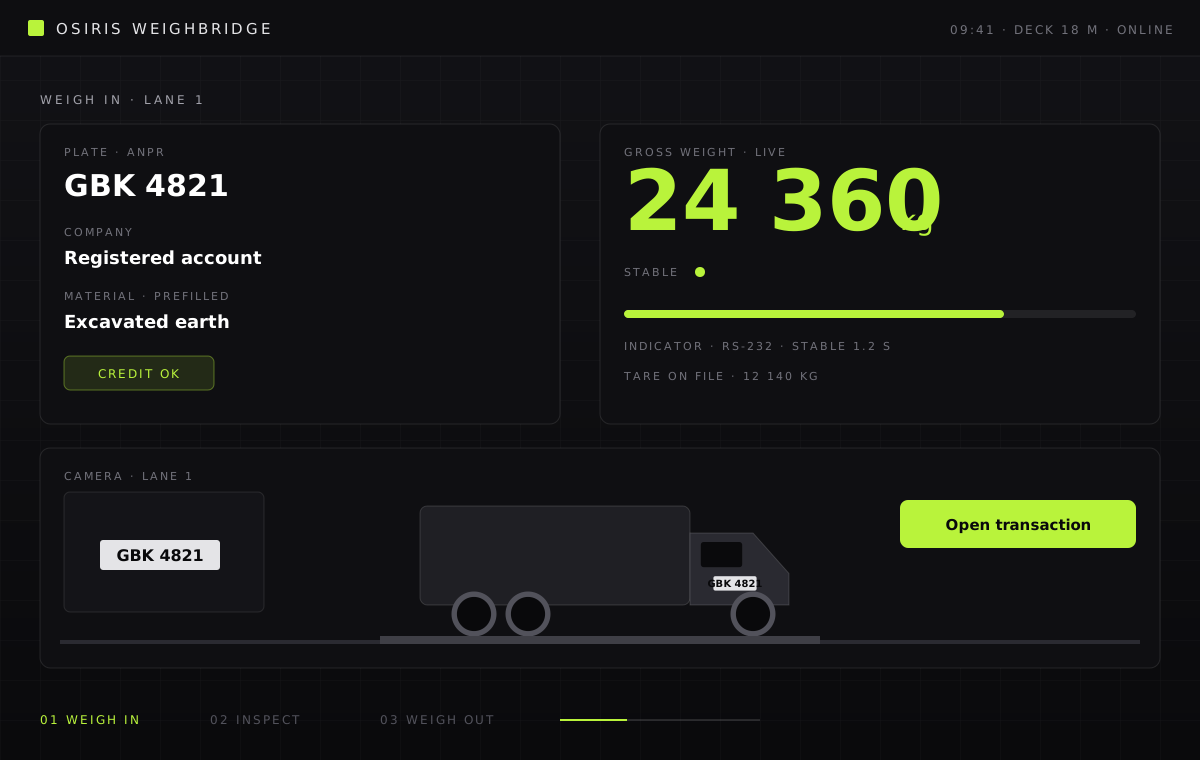
The ANPR camera reads the plate, the deck sends a stable gross weight and the transaction opens against the right company. If the prepaid balance is short, the load stops here.
The weighbridge, without the paperwork. Plate recognition, weigh-in, credit check, inspection and weigh-out, charged on the spot and visible to the customer.
Overview
Our weighbridge software sits between the hardware on the deck and the people who run the yard. A truck arrives, the camera reads its plate, the indicator sends the weight, and the system opens a transaction against the right company without anyone typing a thing.
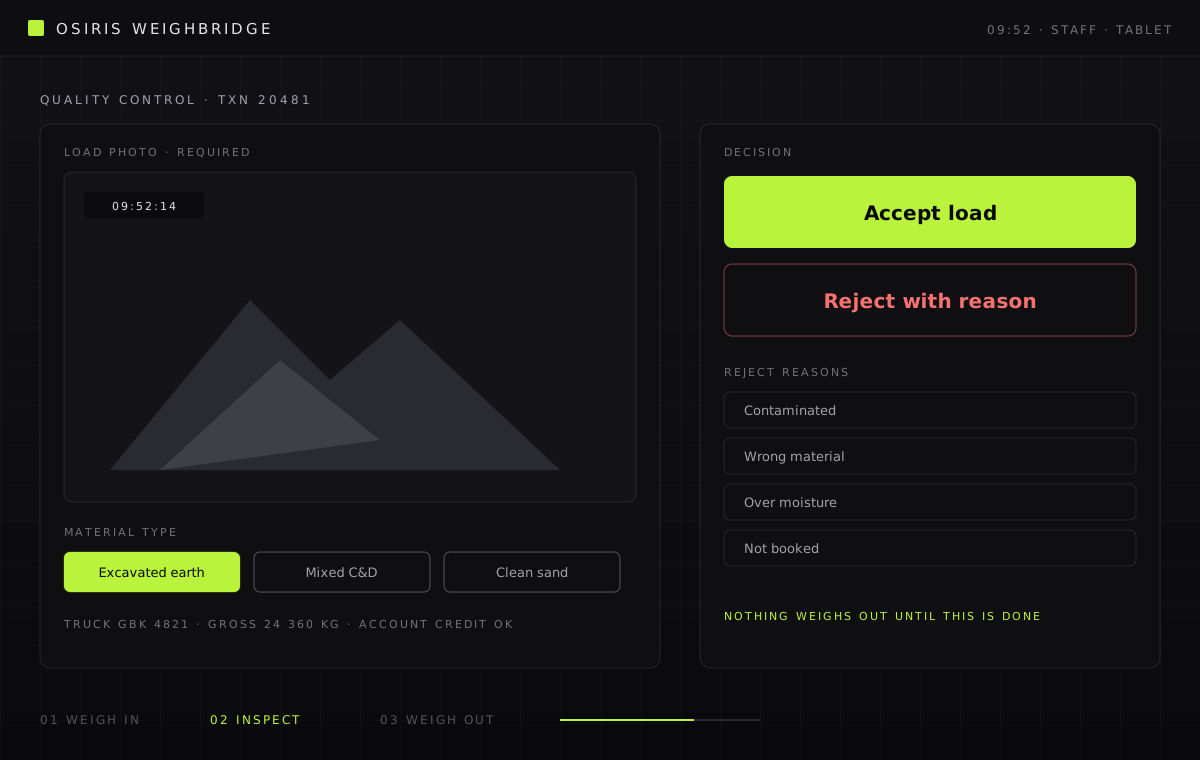
Credit and quality control are built into the flow. The company’s prepaid balance is checked before the load moves, and an insufficient balance stops it at the gate with any override logged. A load cannot be weighed out until staff have accepted it with a material type and photo, or rejected it with a reason. Accepted loads finalise on the exit weight: disposed tonnage, rate, charge, credit deduction and invoice number are all written before the empty truck has left.
The same platform powers JP Staging Ground at Jurong Port, where contractors across Singapore use e-tokens, e-delivery orders, e-invoicing and a self-service portal to move excavated material through the berth.
Features
The camera reads the licence plate on arrival and matches it to a registered truck and company. One plate can serve several companies; unrecognised plates queue for staff.
Entry weight, inspection and exit weight are paired automatically. Loads that have not passed QC cannot leave, and the warning is impossible to miss.
Every company holds a prepaid balance. Charges, top-ups and adjustments post to a ledger with optional overdraft, so finance never chases a missing weight ticket.
Load-based tokens and digital delivery orders replace paper chits, with every movement traceable from gate to barge.
Customers log in to see their trips, invoices, credit balance and QC photos, filtered by pick-up location.
An on-site service talks to the weighbridge indicator and ANPR camera, buffers readings if the network drops, and publishes a live monitoring dashboard.
Daily time blocks with per-company quotas so arrivals are planned, QR e-tickets per delivery order, and driver ID and licence documents held digitally with clearance status.
Haulers bill their own clients through the platform with their own rate cards, while the yard sees one account.
Every change by every user is recorded. Rejections, refunds, overrides and diversions are all accounted for, so a dispute is a lookup rather than an argument.
Included with the weighbridge
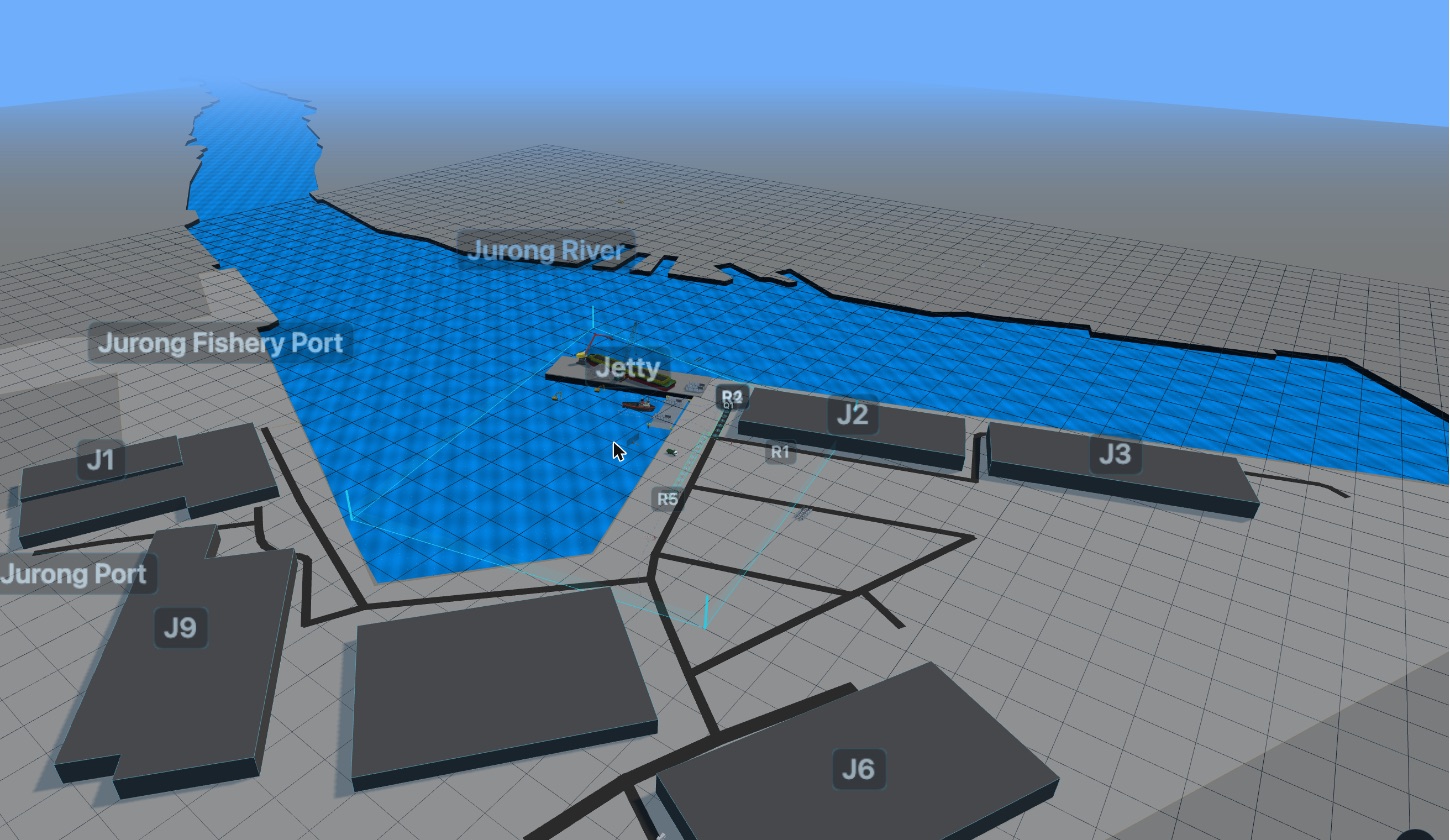
Every weighbridge deployment can include a digital twin of the site. Trucks appear on the twin as they pass the gate, join queues, and move along the routes you define, so the control room sees the yard instead of a table of plates.
One truck, start to finish
Three screens the yard staff actually see. Nothing is typed, nothing is skipped.
The ANPR camera reads the plate, the deck sends a stable gross weight and the transaction opens against the right company. If the prepaid balance is short, the load stops here.
Staff accept the load with a material type and photo, or reject it with a reason. The truck cannot weigh out until this is done.
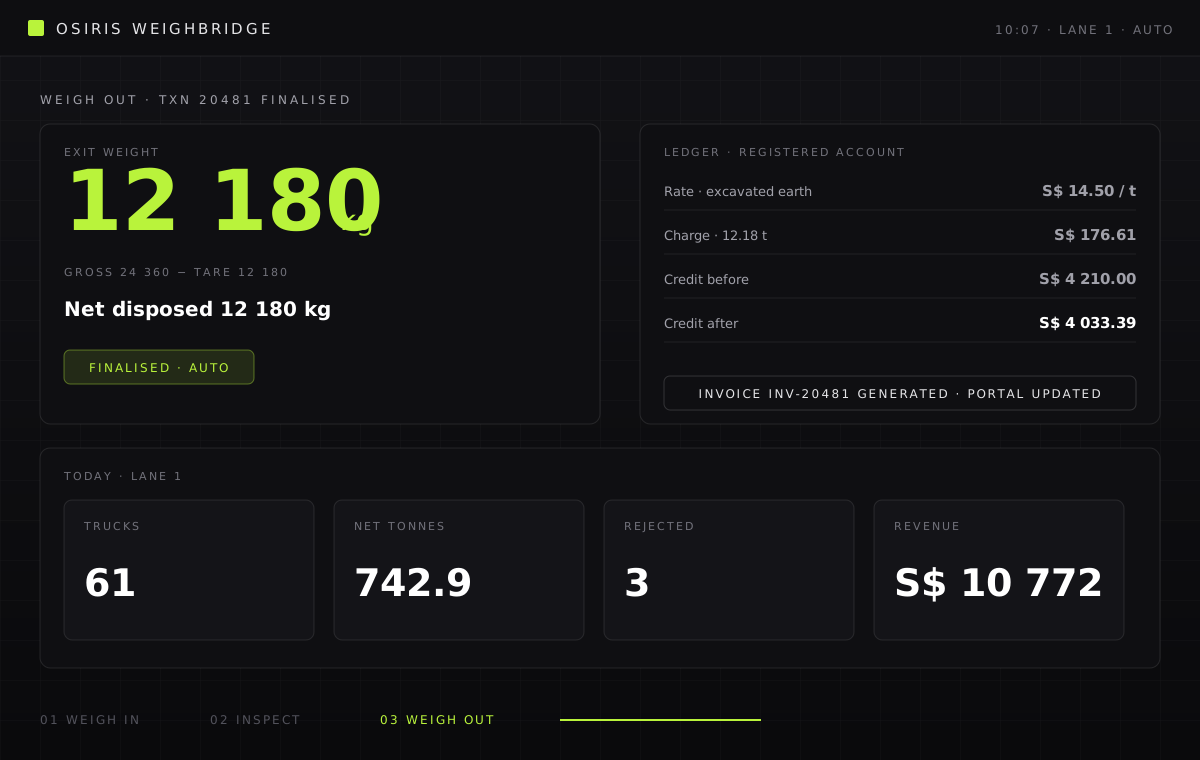
The exit weight closes the transaction. Net tonnes, rate, charge, credit deduction and invoice are written without anyone touching a keyboard.
How it works
We install the site service beside your indicator and camera, register trucks and companies, and set material rates.
Arrival, inspection and departure are captured as they happen. Staff only touch the screen to accept or reject a load.
Transactions finalise on the exit weight, credits are deducted, invoices are generated and customers see it all in the portal.
We will walk through it on a call, with your site and your numbers, and tell you honestly whether it fits.